Toggle Filters
The togglefilters command of the bot allows you to pick which filters are reported on. Messages that have a rating of 85 or higher in a certain filter will be sent to the channel set by the pickchannel command.
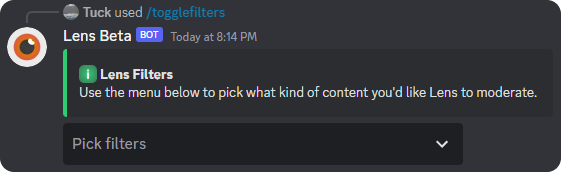
Picking Your Filters
You can decide what filters you want to be detected by the bot. These filters will control what types of messages you get in your reports channel. In the example below, it shows the the toxicity, insult, and profanity filters selected.
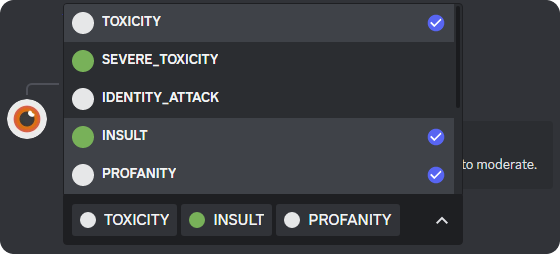
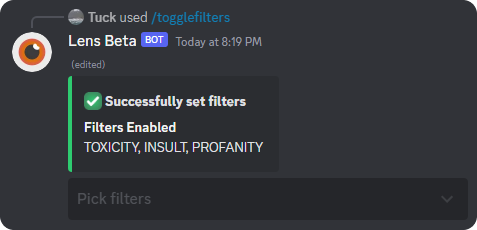
Once you have chosen all of your desired filters, a confirmation message will be shown and the dropdown will be disabled as shown below.
What Now?
Now you have your reports channel and filters set! This means that the bot should now be detecting any vulgar messages. If the bot is not detecting messages/not working, join the support server and ask for help!
Now that the bot is working, you might find that a word detected as vulgar but is not, you can add that word to the server whitelist with the whitelist command.
You may also want the bot to automatically act on a user that the bot detects. You may do this by setting up the autopunish command!